
Tavla Block
A blocker is only as good as the way out
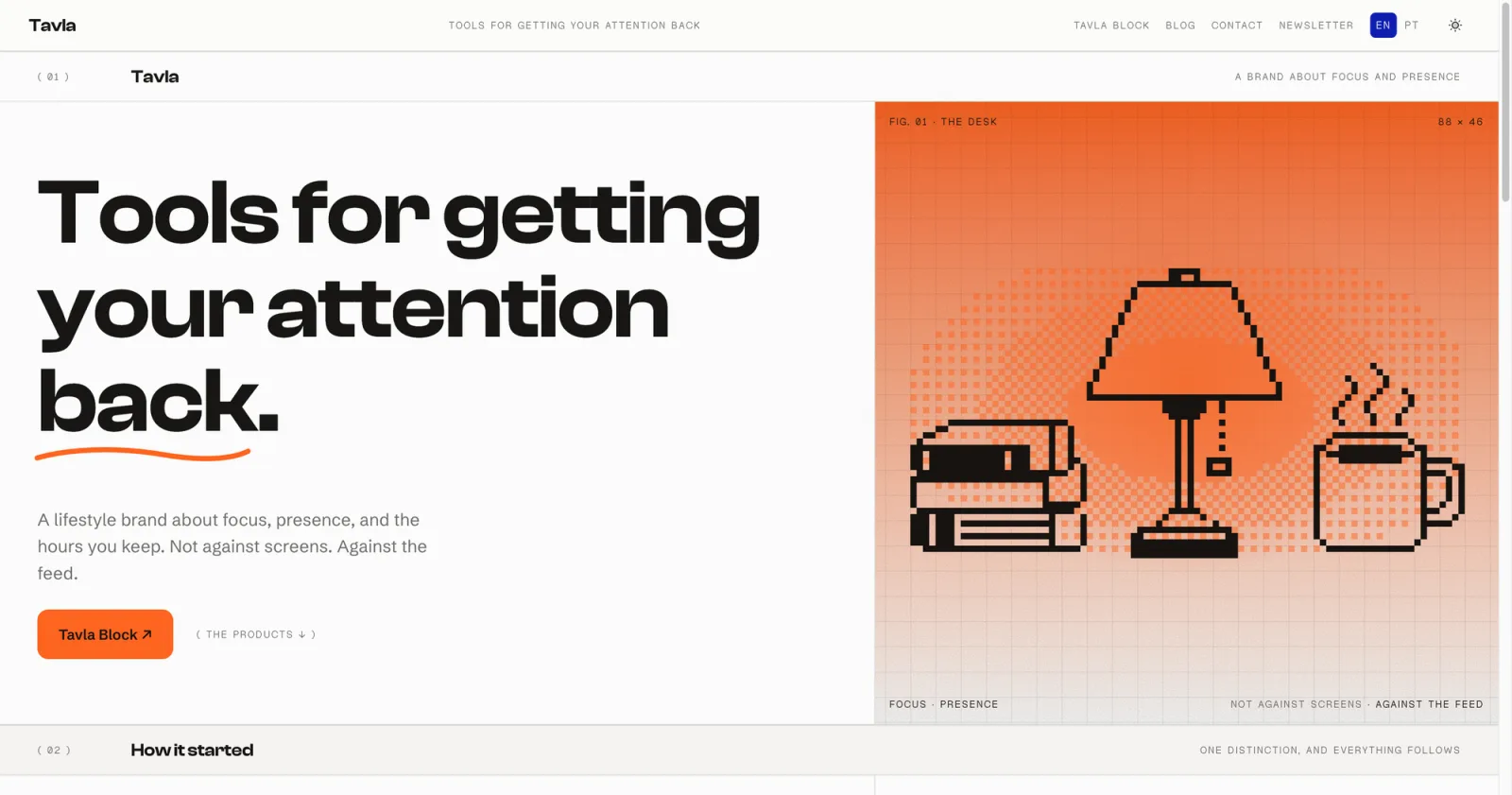
Tavla is my own company. It makes tools for getting your attention back: not against screens, against the feed. The first product is for anyone who wants a stretch of focused time and has found that app blockers go one of two ways. Either ending a session is a single tap, so the block means nothing on a weak afternoon, or the app locks you out so hard that you delete it. There was no client and no brief. I set the direction, designed the brand and the product, and wrote the code with Claude Code. The job was a blocker where the user decides how hard it is to leave, and where leaving produces something worth keeping.
What had to be true
- ✓ A session ends through a short page of writing that holds for 30, 60 or 90 seconds, a setting the user picks.
- ✓ Nothing leaves the phone: no account, no server, and journal entries stored on the device only.
- ✓ The block survives a weak moment: deleting the app or installing a new one can be locked for the length of the session.
- ✓ Approved by App Review as something other than one more blocker.
What I built
The blocking is Apple's. The session, the page, the journal and the way the app talks are mine, in Swift and SwiftUI.
The session: one question, then quiet
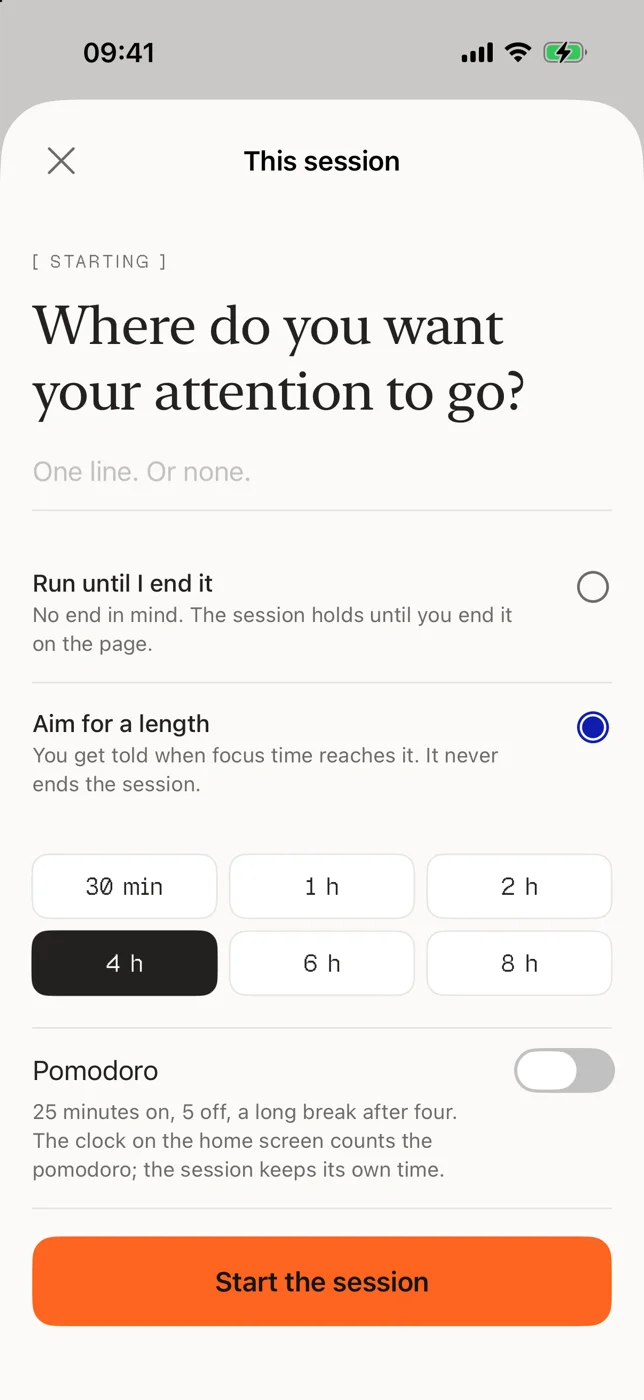
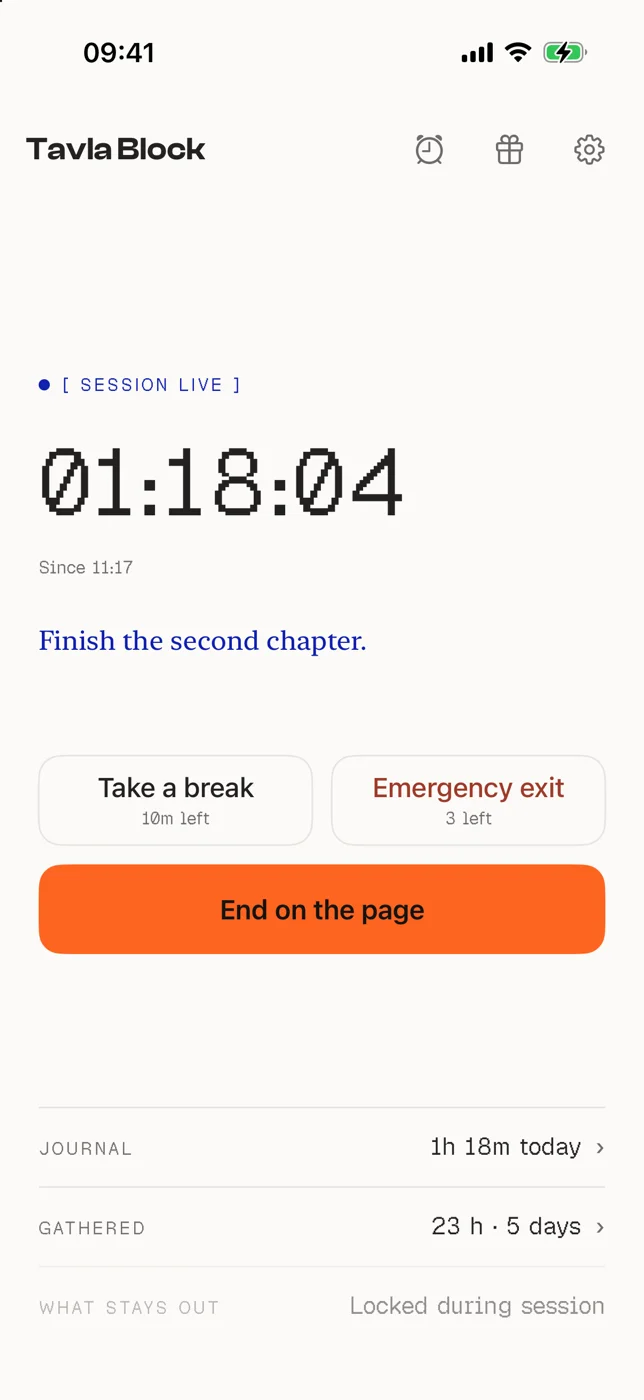
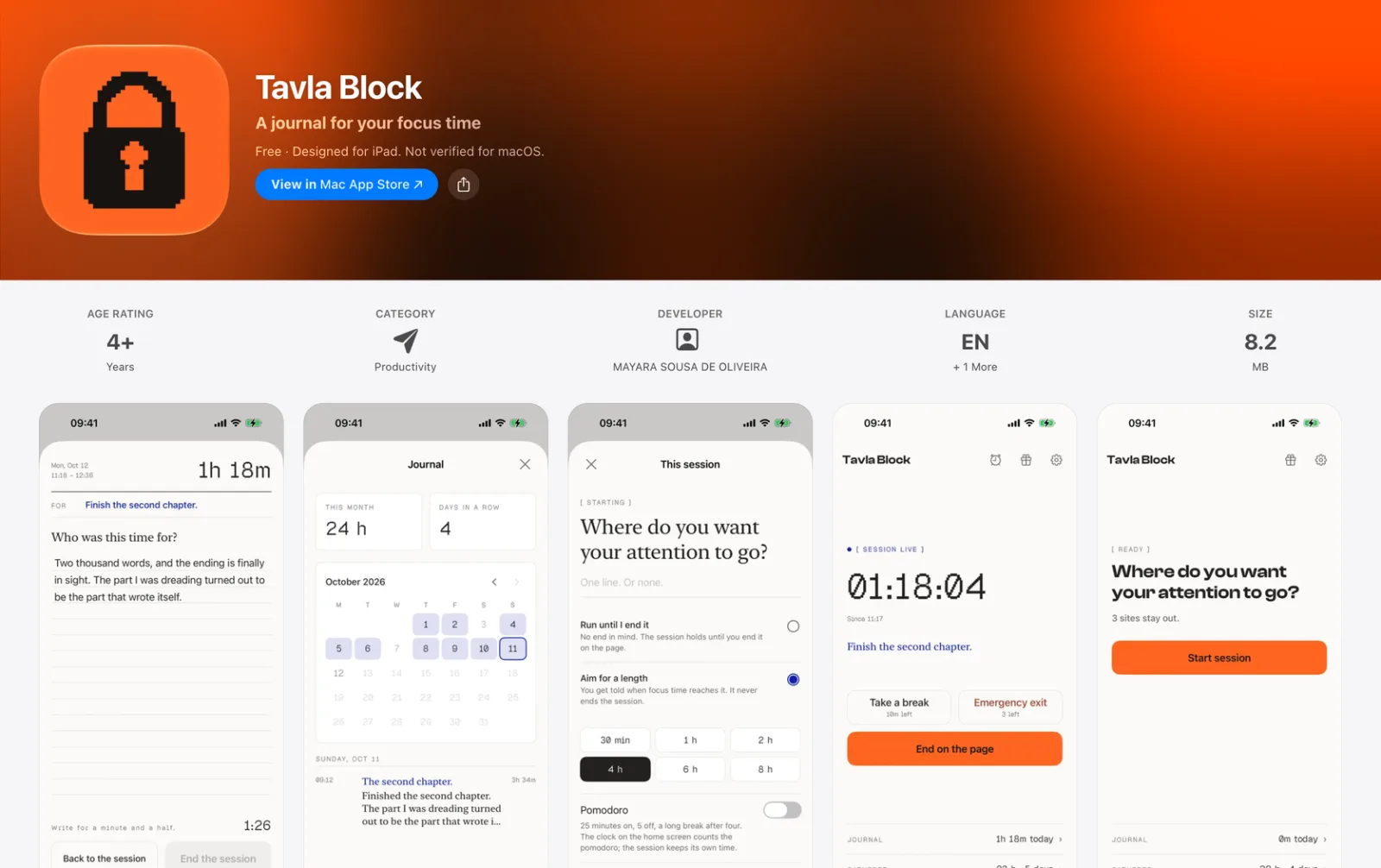
A session starts with one optional line, "Where do you want your attention to go?", and a choice: run until I end it, or aim for a length between 30 minutes and 8 hours. Aiming for a length never ends the session on its own; it only tells you when you got there. Pomodoro is a switch, not a mode. While a session runs, the home screen shows the clock, the purpose, a break and the way out, and nothing else.
The page: the way out costs a minute and a half
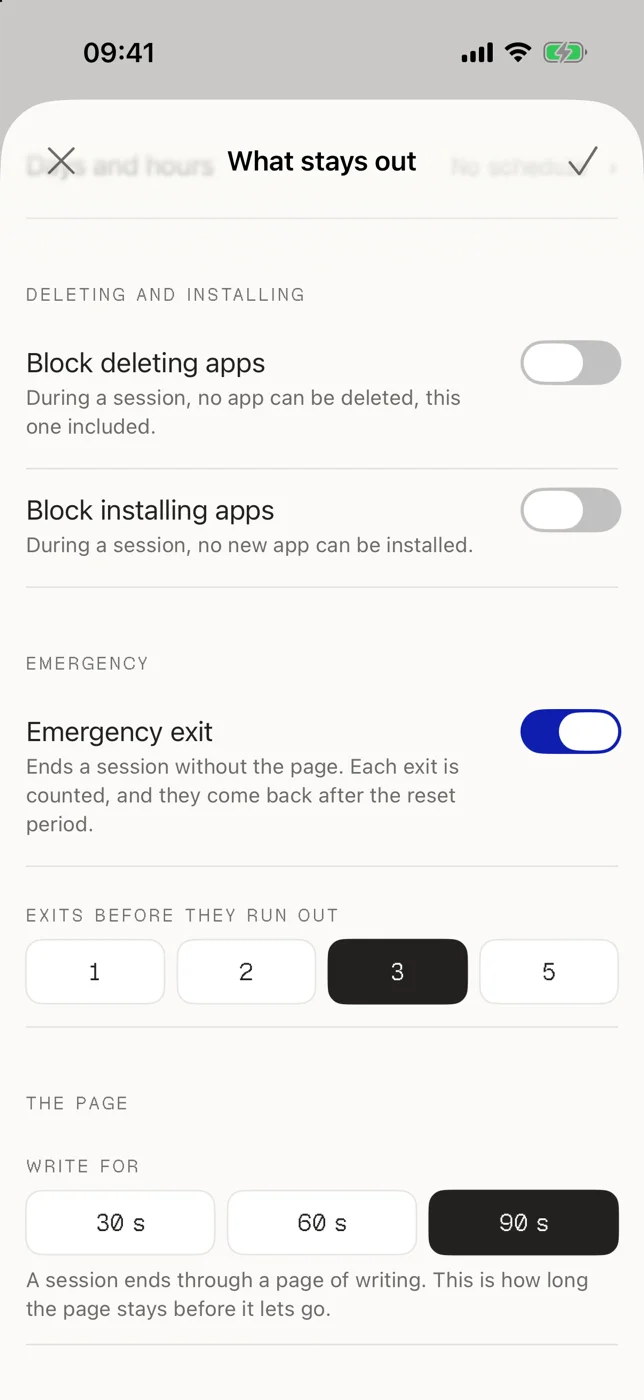
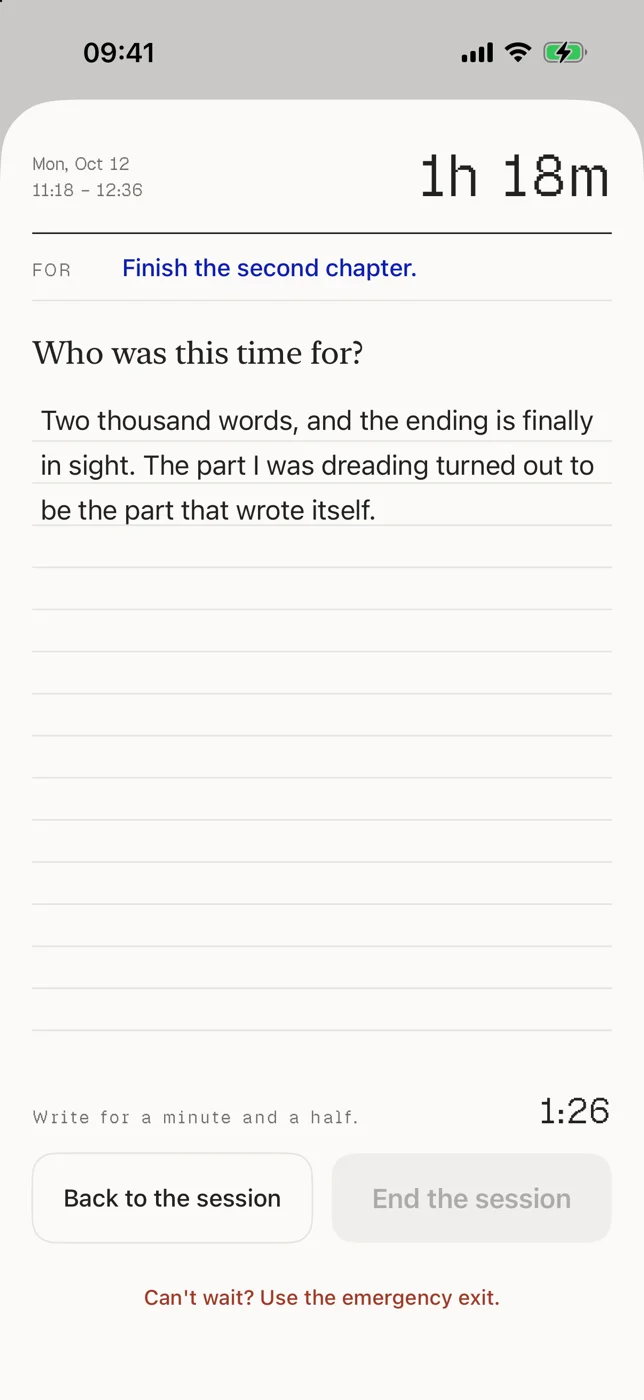
A session ends through a page of writing. The page holds for 30, 60 or 90 seconds, set by the user, and End the session stays disabled until the time is up; Back to the session is always one tap away. An emergency exit skips the page, but each one is counted (1, 2, 3 or 5 before they run out) and they come back after the reset period. The friction is the user's own setting, which is the whole point.
What stays out: the block and its extensions
Family Controls, Managed Settings and Device Activity, with four app extensions: the block screen, its button, the schedule monitor and the widgets. A session can also lock deleting apps and installing new ones, so the usual way around a blocker is closed for exactly as long as the user asked. Schedules by days and hours run from the same settings screen.
The build: Swift, SwiftUI and Claude Code
I am a designer, not a developer. The vision, the strategy, the product and every screen are mine; Claude Code wrote the Swift from what I specified, and I reviewed what it wrote. I did the QA myself, 41 builds through TestFlight on my own phone, and had friends test it before each submission. English and Brazilian Portuguese, iPhone and iPad, 8.2 MB. Analytics are anonymous and never linked to a person, and the journal never leaves the device.
What shipped
On the App Store for iPhone and iPad, used in the moments when the phone is the thing in the way.
Design System Examples
Components from tavlahq.com, rebuilt from the site's own stylesheet so every state here is the real one.
Tavla stores your email only to send these, and you can unsubscribe any time.
Labels in the pixel face
Every label is a pixel-font caption in capitals, like the figure labels on a drawing. Fields are white on paper with a hairline border and 10px corners. Focus is cobalt: the border and a soft 3px ring, because cobalt is the color of what you have kept. An invalid field gets the orange border instead.
The checkbox uses the orange as its accent color and the fine print says exactly what the email is for. The form never asks for more than it needs.
A spec sheet, not a landing page
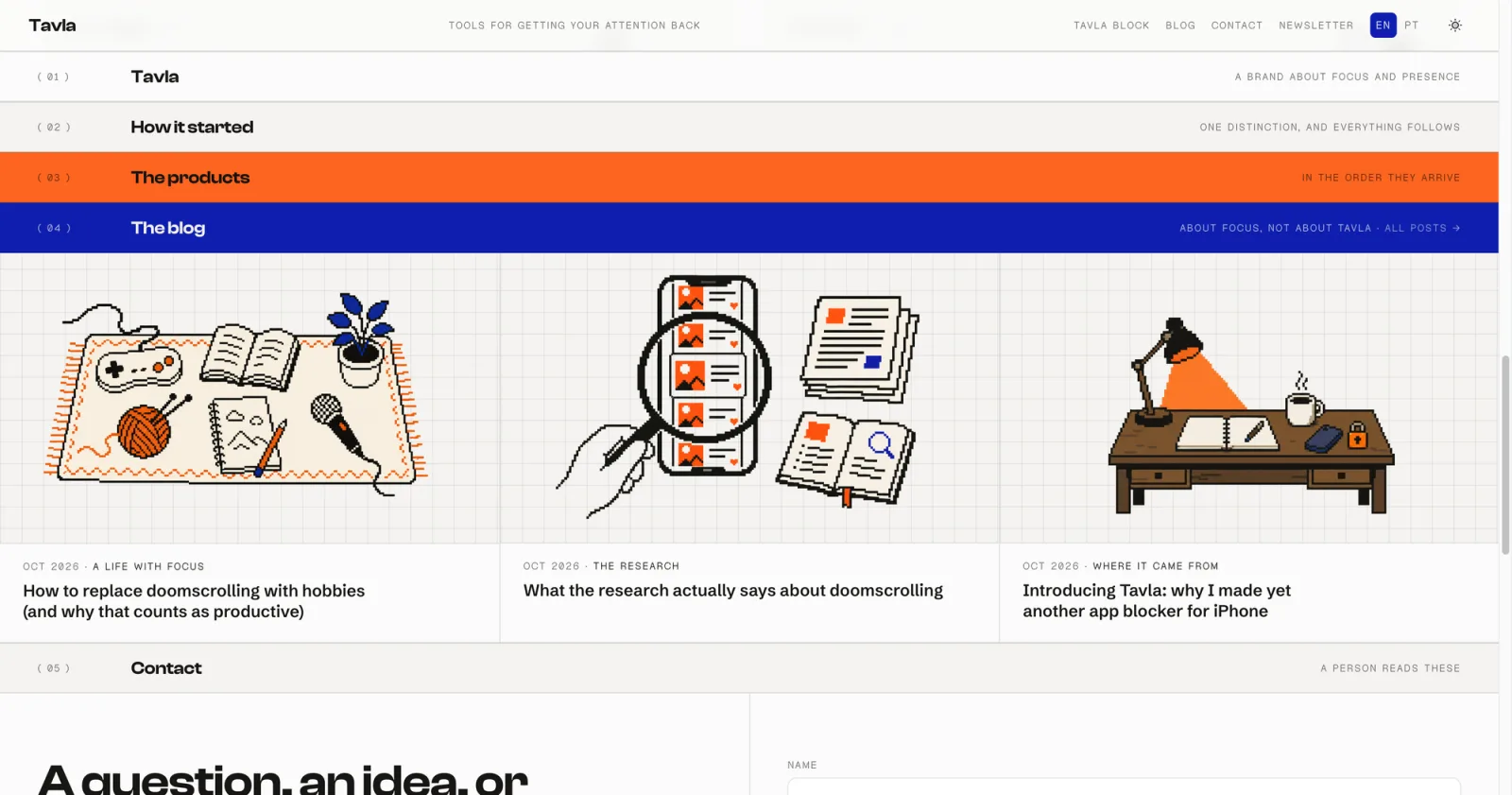
The site is laid out as a numbered sheet. Each section opens with a band: a number in parentheses, a title in Clash Display, and a note on the right. Bands stick to the top as you scroll, so the sheet stacks like tabs in a binder.
Color is rationed to the bands. Most are paper or recessed paper; one is the orange stamp and one is cobalt. Hairlines do the rest of the layout, on the site and in the app.
 Tavla Block
 Tavla Plus
 A writing app
 A photo app
Drawn on a grid
Where something is drawn, it is drawn in pixels on a visible grid: a lock for the blocker, an eye for the shared subscription, glasses and a pencil for the writing app, an instant photo for the photo app. Each is an SVG of rectangles, so it stays crisp at any size and takes the ink color of its theme.
The same hand draws the desk on the home page and the illustrations on every blog post.
Getting back to your phone should cost something, and how much it costs should be your choice. Tavla never sets the price. It builds the mechanism and hands you the dial.
Three faces, three jobs
Clash Display for the big statements, tight and heavy, with a hand-drawn orange scribble under the word that matters. Geist Pixel for everything that is a label or a number, including the clock in the app, so the pixel drawings and the type come from the same place. Schibsted Grotesk for reading.
Body copy is muted ink on paper and bold only when a sentence is the point.
Two inks on paper
The whole palette is two inks on paper. Orange is the stamp: bright on purpose, used as a field with ink text on it (6.4:1), and kept to marks and eyebrows when it is small, because as small text on paper it is 2.8:1. Cobalt is the second ink, for numbers, links and the words you write, at 11:1 on the page.
The site and the app both have a dark theme. On the dark ground the orange stays, and the cobalt lifts to a lighter blue so it still passes.
The call I made
Two decisions shaped the product more than any screen: where the code started, and what to do with Apple's rejections.
Start from an open-source blocker, then rewrite it around the page
Blocking on iPhone runs on Apple's Screen Time frameworks (Family Controls, Managed Settings and Device Activity), the hardest and least designable part of the app. I started from Foqos, an open-source blocker under the MIT license, credited inside the app, so there was a working block on day one and the first weeks went into the product instead of the plumbing. Since then most of it has been replaced: about 21,000 lines added and 26,500 removed, with the session, the page, the journal and the brand all new.
Instead of: building the Screen Time integration from zero, which would have spent the first month on entitlements and extensions before a single product decision.
Treat App Review as a product critique
Apple rejected the app three times: once for a missing entitlement, then twice as too similar to other blockers. The second and third rejections were the useful ones. Rather than appeal, I asked what the app did that no other blocker did, and the answer was the page: a session that ends through writing and leaves a journal behind. Each rejection pushed the product further from where it started. The build that was approved is the one organized around the journal, and it is a better product than the one I first submitted.
Instead of: appealing with the same app, or stripping the blocker down until it passed.
What happened
Days from first commit to the App Store
First commit on August 11, 2026, first TestFlight build the next day, first submission on September 8, live on October 22 after three rounds of review. Planning started in late July, so about three months in all.
Live, free, and private by design
On the App Store since October 22, 2026, for iPhone and iPad, in English and Brazilian Portuguese. Free, with no in-app purchases, no ads and no account. A paid tier is planned and does not have a price yet.
Too early for usage numbers
The app has been live for a day as I write this, so there is nothing honest to report yet on sessions or retention. By design the numbers will stay modest: analytics are anonymous and journal entries never leave the phone. Next for Tavla is a writing app for the Mac.